
LinkedIn Ad Analytics shows no data
Ad Analytics reads your campaign data from LinkedIn. If the reports are empty or a section is blank, work through the checks below. Ad Analytics covers LinkedIn only for now, so Meta and Google campaigns won't appear.
1. Check the LinkedIn Analytics connection
Go to Integrations → Connections.
Find LinkedIn Analytics. Its status should be Healthy. If it says Not Connected, connect it and choose your LinkedIn ad account.
Open it (row menu → View details) and click Test Connection.
Make sure Auto-sync is on. The page should say "Automatic syncing is on."
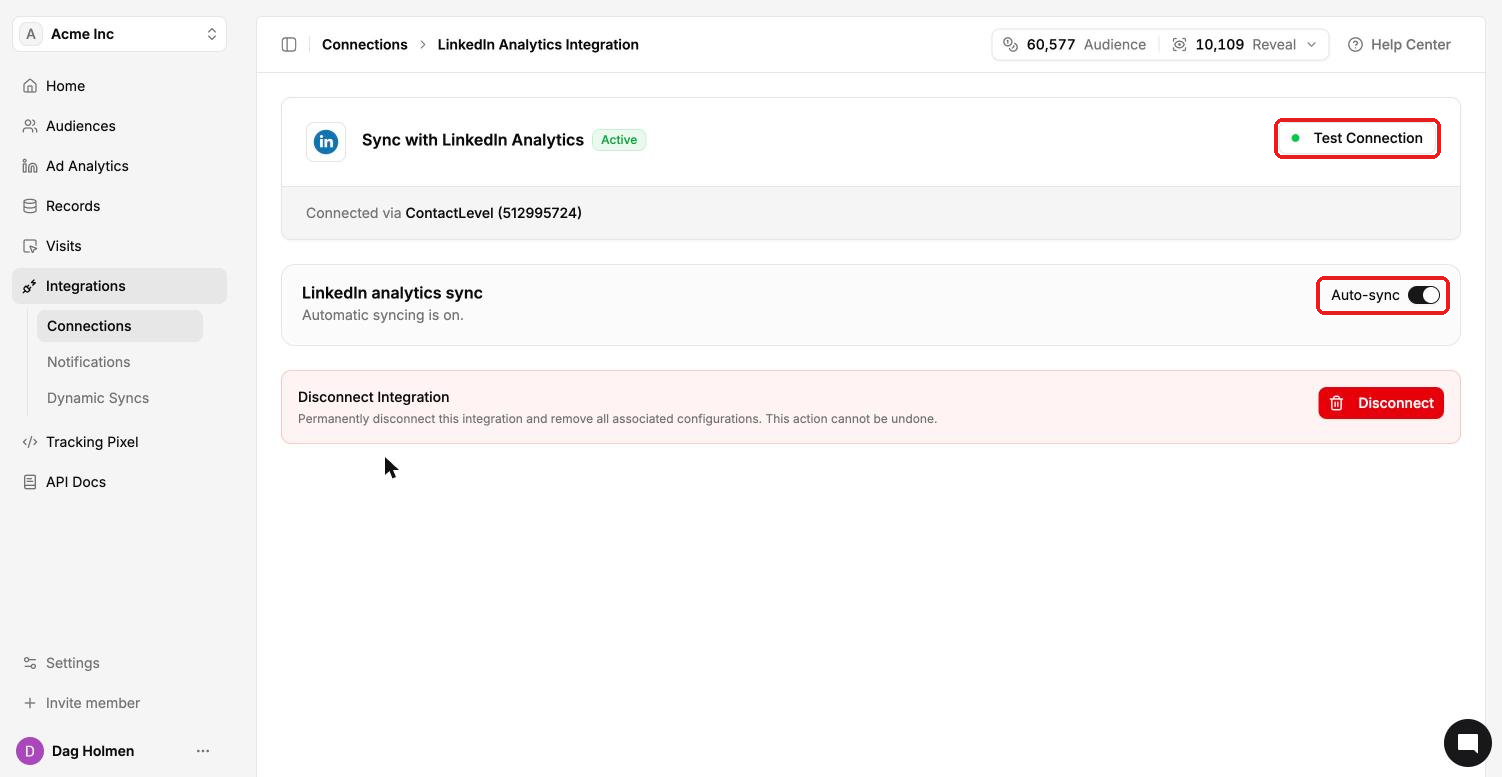
Also check the "Connected via" line. If it names a different ad account from the one running your campaigns, reconnect and pick the right account. LinkedIn Audiences (for syncing audiences) is a separate connection and doesn't feed Ad Analytics.
2. Check the date range and campaign filter
On Ad Analytics → Overview, the date range picker and the campaign filter sit at the top. Widen the range and set the filter to All campaigns. If your campaigns ran outside the selected range, the reports stay empty.
Numbers on Home can differ from Overview because Home uses its own default date range.
3. ICP alignment is empty
ICP alignment compares your LinkedIn audience demographics with the ideal customer profile you set. If you haven't entered one, go to Ad Analytics → ICP Settings, fill in your target companies and personas, and click Save changes.
4. Pipeline or "Warm companies without a deal" is empty
Both need a CRM. Connect HubSpot or Salesforce under Integrations → Connections, then pick the CRM and pipeline at the top of Ad Analytics → Pipeline.
5. A company you expected is missing
LinkedIn company reporting is approximate and may leave out low-volume activity because of privacy thresholds. Companies with only a handful of impressions often don't appear in the Companies report.
Creative previews can also disappear. Preview links are signed by LinkedIn and drop out when an asset URL needs refreshing.
Still empty after these checks? Message us in the in-app chat with your organization name and the LinkedIn ad account you connected.