
Working with multiple organizations
You can belong to several organizations with one login. Each organization has its own audiences, integrations, team and credits.
Switch organizations
Click the organization name in the top left of the sidebar.
Pick an organization from the list, or type in the search box to find it.
To see every organization you belong to, click All organizations.
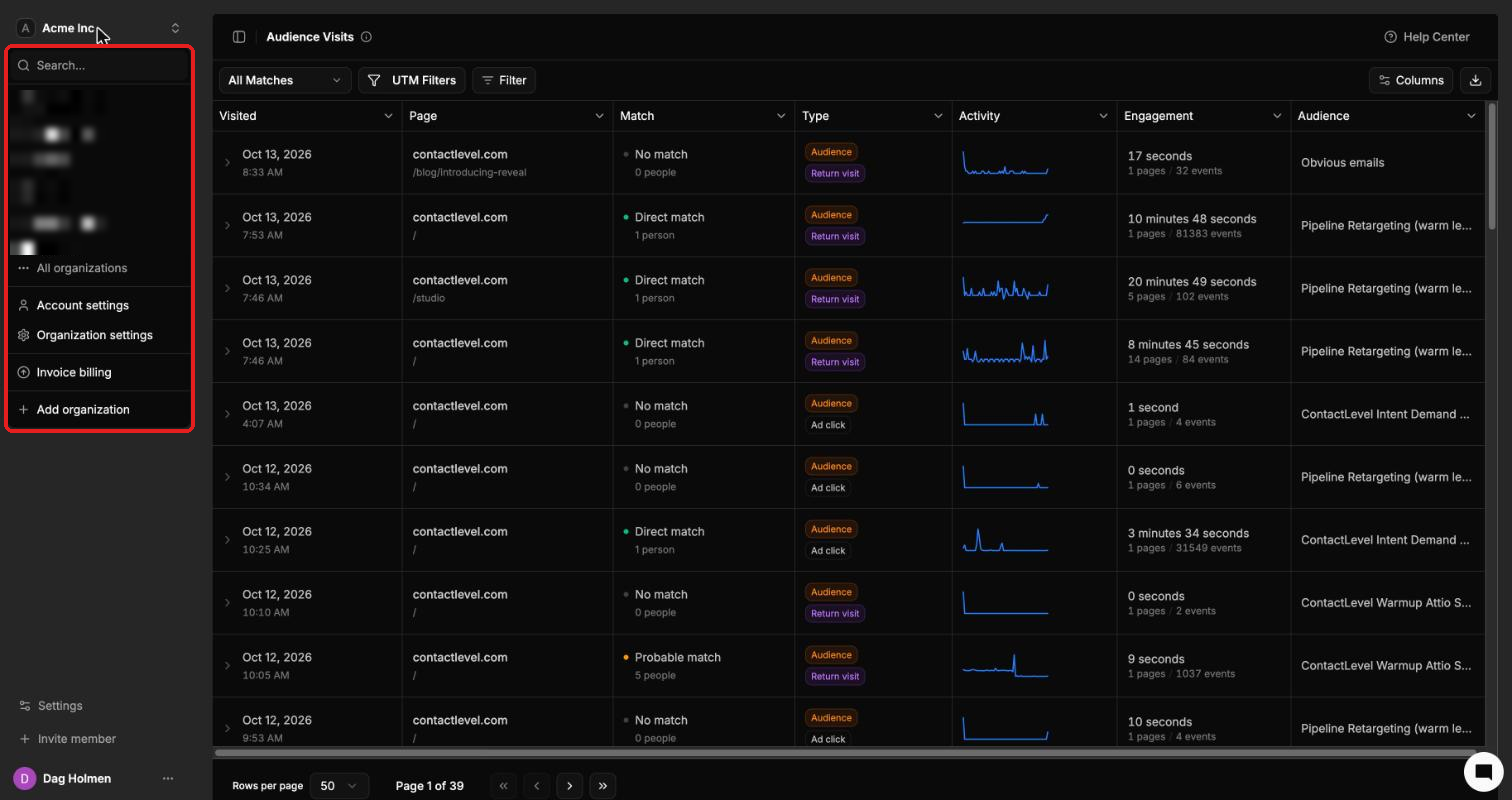
The same menu has shortcuts to Account settings, Organization settings and Invoice billing.
Create an organization
Open the org switcher and click Add organization.
Agencies managing client accounts should use sub-organizations instead, so credits can move between agency and client.
Organization settings
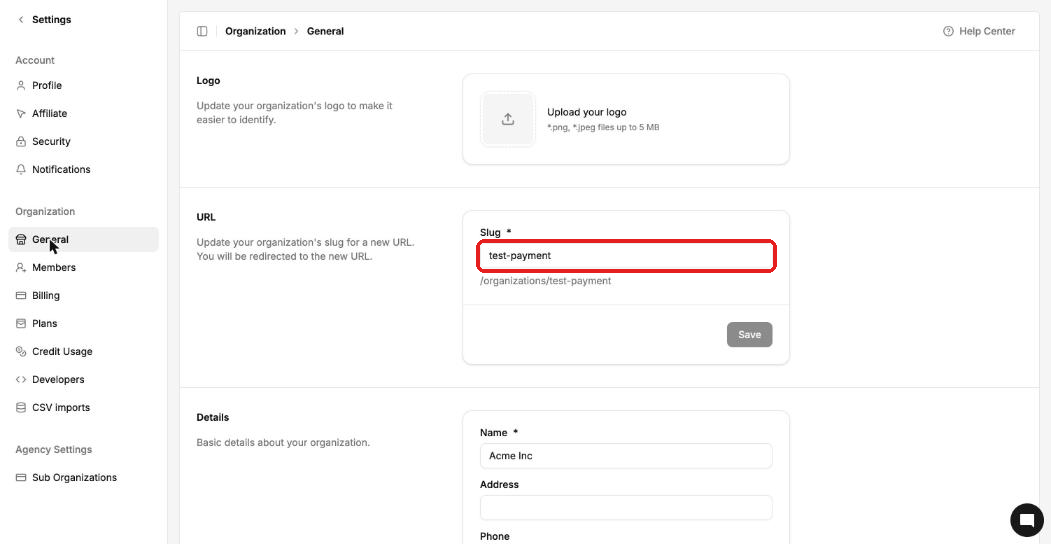
Go to Settings → General to manage the organization you're in:
Logo: upload a .png or .jpeg file up to 5 MB.
URL: change the slug. Your organization's URL changes and you're redirected to the new one.
Details: name, address, phone, email and website.
Delete an organization
Only the owner can delete an organization, from the bottom of Settings → General. This can't be undone.