
Plans, billing and prepaid accounts
Your Audience plan and your Reveal plan are billed separately. Find both, plus your credit balances and invoices, under Settings → Billing.
How plans work
Analytics is free and needs no plan.
Audiences plans come monthly, quarterly or annually. Monthly plans add credits every month. Quarterly and annual plans deliver all credits upfront.
Reveal plans also come monthly, quarterly or annually. Reveals are added monthly on every billing period.
Suite bundles Audiences and Reveal for about 15% less than buying both.
Unused Audience and Reveal credits roll over. Ad spend is never included. You pay the ad platforms directly.
Current prices are on contactlevel.com/pricing. For larger volumes, talk to our sales team.
The Billing page
Go to Settings → Billing, or click Manage plan in the credit dropdown in the top bar.
Under Your plans, check your Audience plan and Reveal plan.
Below that, see your Audience credits and Reveal credits remaining. Click View usage under either one for the full history.
Scroll down for the email recipient, billing address and invoices.
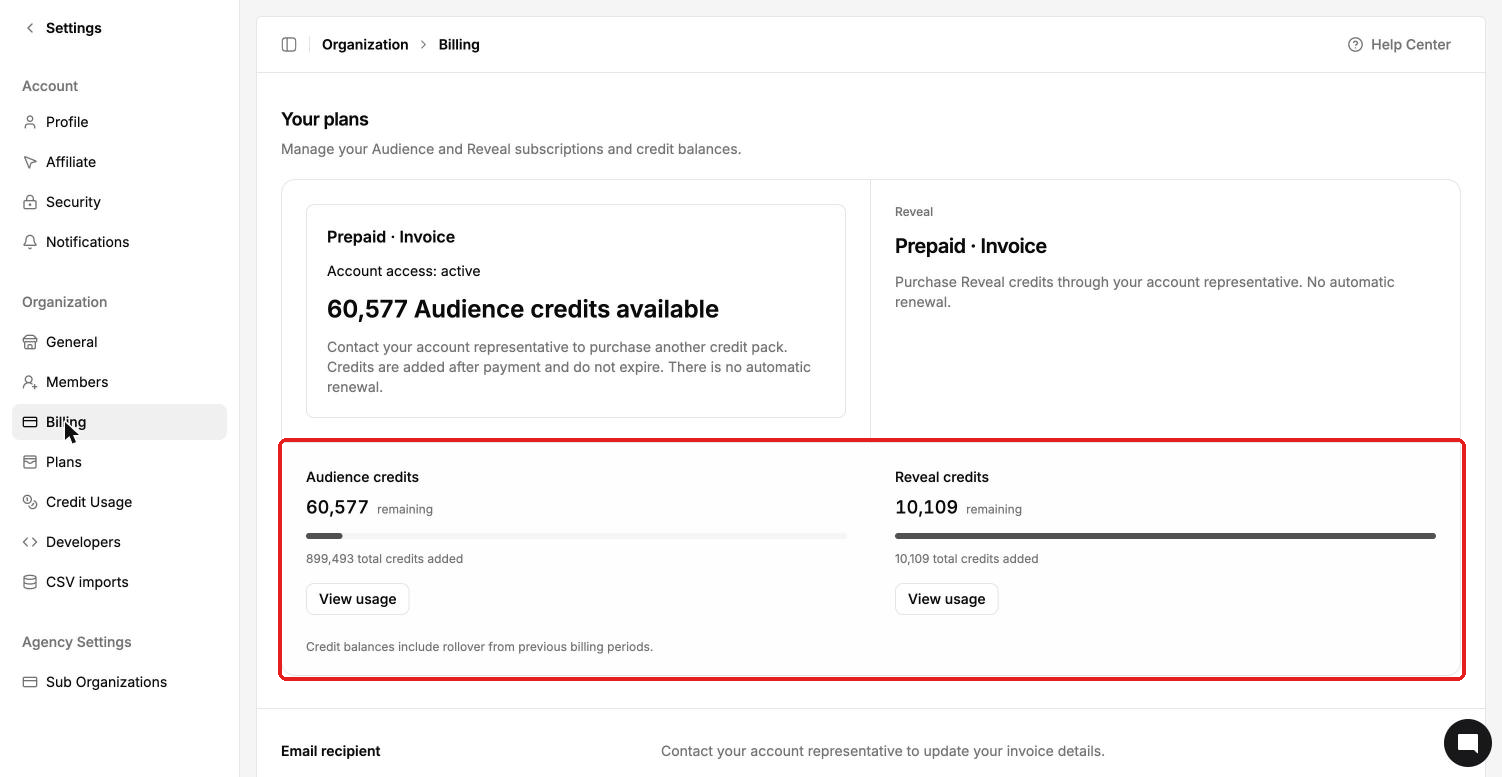
Credit balances include rollover from previous billing periods.
Prepaid · Invoice accounts
Some accounts are on a Prepaid · Invoice plan instead of a self-serve subscription. You'll see this label on your plan cards and in the credit dropdown.
You buy credit packs through your account representative.
Credits are added after payment and don't expire.
There's no automatic renewal.
Invoices come from your account representative. Contact them to change invoice details too.