
Importing contacts from a CSV file
Have a list already? Upload it as a CSV and ContactLevel adds the people to your audience and enriches them with advertising data. Each file can hold up to 20,000 rows.
Pick an import type
| Import type | What your CSV needs | When to use it |
|---|---|---|
| LinkedIn URL Import | LinkedIn profile URLs | The default. We match everything on LinkedIn URL, so most people only need this. |
| Email Only Import | Work email addresses | You have emails but no LinkedIn URLs. Works well too. |
| Full Contact Import | LinkedIn URL, job title, first name, last name, company name, company domain | Best match rate. If a LinkedIn URL is missing or broken, we fall back on the other columns. |
If a LinkedIn URL import matches badly, run the same list again as a Full Contact Import.
Upload the file
Open the audience and click Add Contacts.
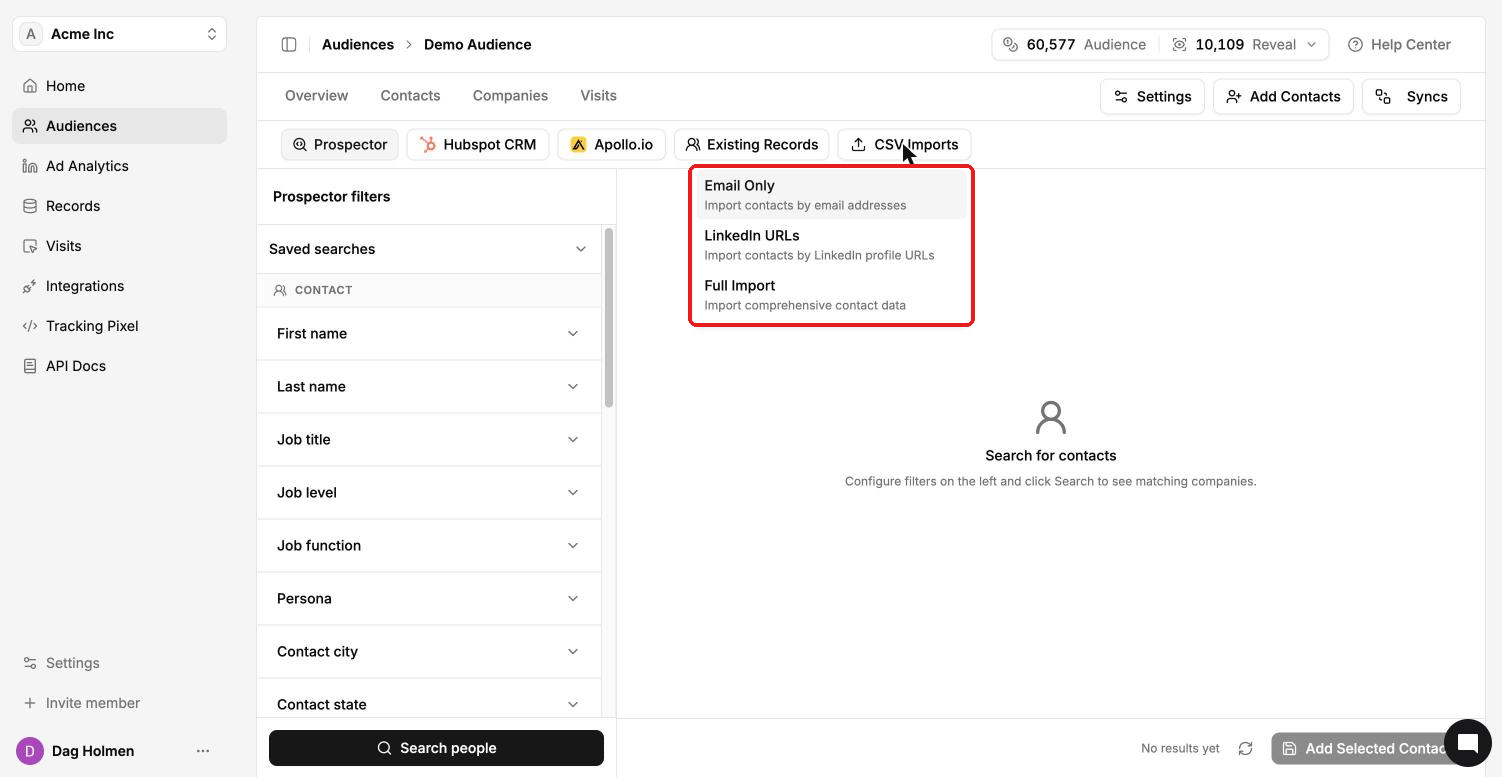
Under Import, click Open on LinkedIn URL Import, Email Only Import or Full Contact Import. You can also use the CSV Imports tab at the top of the search screen and pick Email Only, LinkedIn URLs or Full Import.
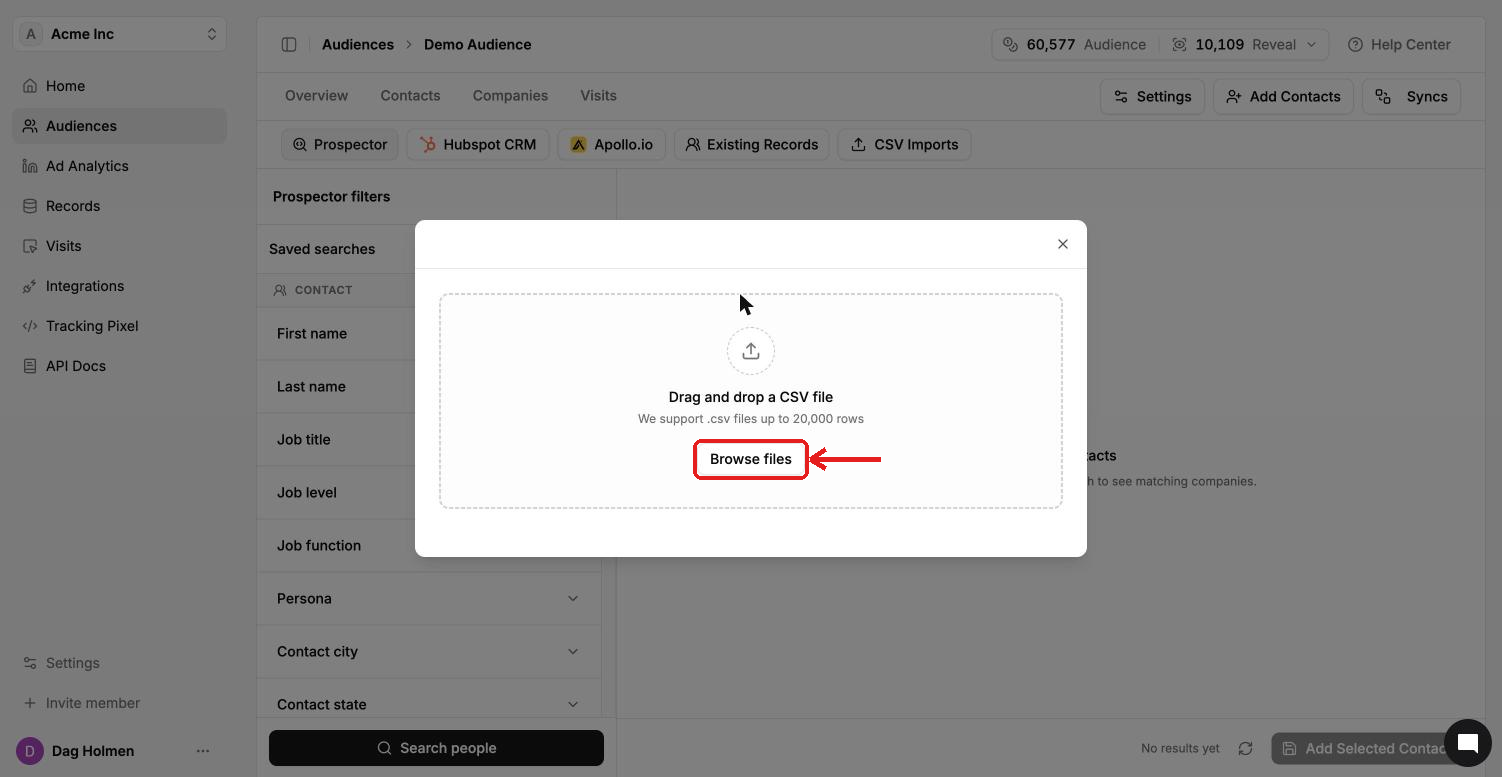
Drag your CSV into the upload box, or click Browse files and select it.
Match your CSV columns to the fields ContactLevel asks for, then start the import.
Each new contact added uses 1 Audience credit. If someone in the file already exists in your account, you're charged on upload and refunded as soon as enrichment starts. You'll see that as a "Credit refund" line in Settings → Credit Usage.
Check your import status
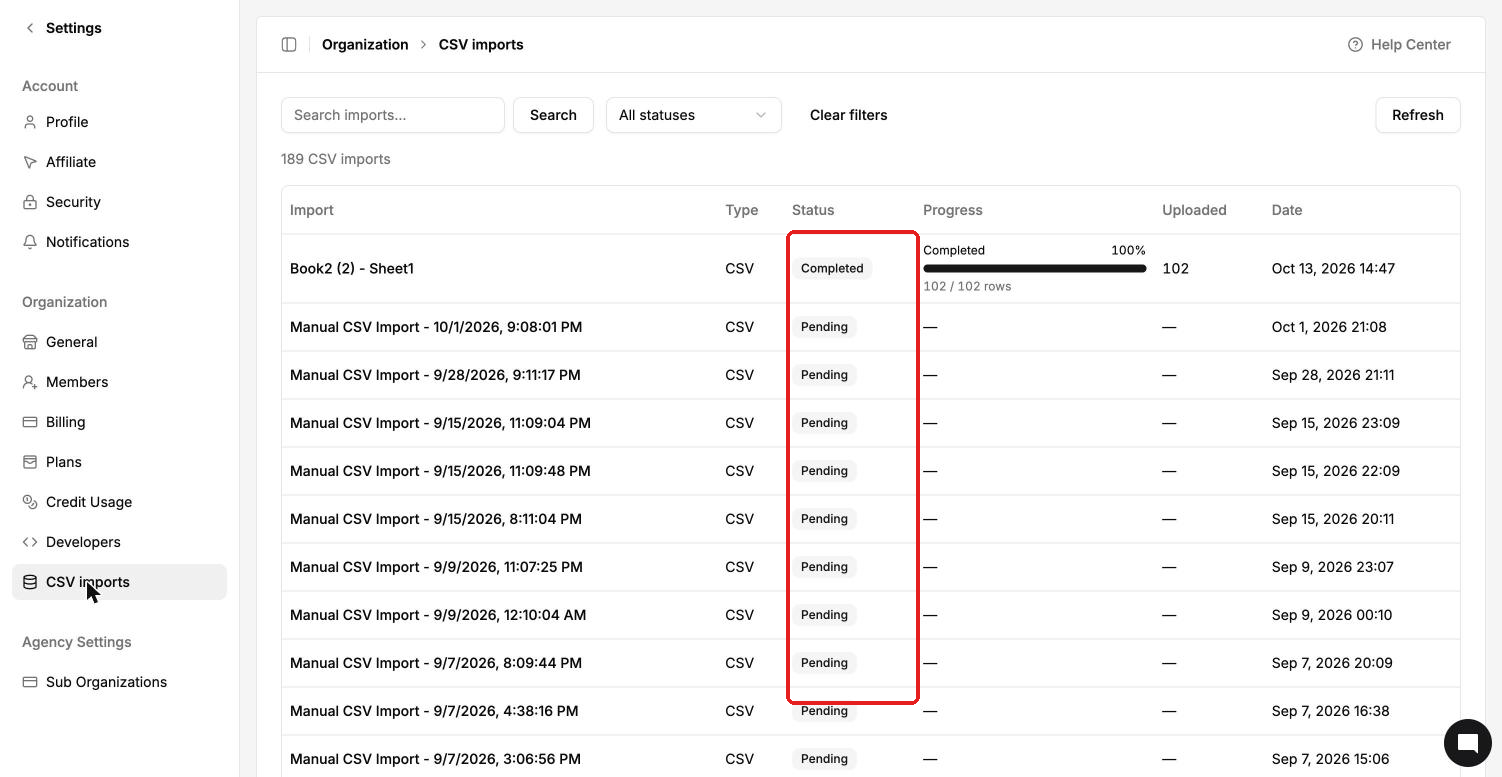
Go to Settings → CSV imports to see every file you've uploaded. Each row shows the status (for example Pending or Completed), progress, rows uploaded and date. Use the search box and status filter to find a file, and click Refresh to update the list.
Tips for a clean file
Use full LinkedIn profile URLs, not company pages or shortened links.
Write company domains as
company.com, withoutwwworhttps://.Remove duplicates and empty rows before uploading.
Save the file as UTF-8 so names with special characters come through correctly.
Split lists over 20,000 rows into several files.