
Finding your audience's UTM parameter
Every audience has its own UTM parameter, cl_audience=<id>. Add it to the landing page URL of ads that target that audience, and ContactLevel can match visits from those ads to the people in the audience. This is what powers Audience Visits.
Reveal doesn't need a UTM parameter. It identifies US visitors from any channel with the pixel alone.
Copy the parameter
You can copy it from three places:
The UTM column on the Audiences page (copy button).
Inside the audience, click Settings, then View UTM Parameter under Audience tracking.
The audience's Visits tab. Before any visits arrive it shows the parameter with a Copy UTM Params button.
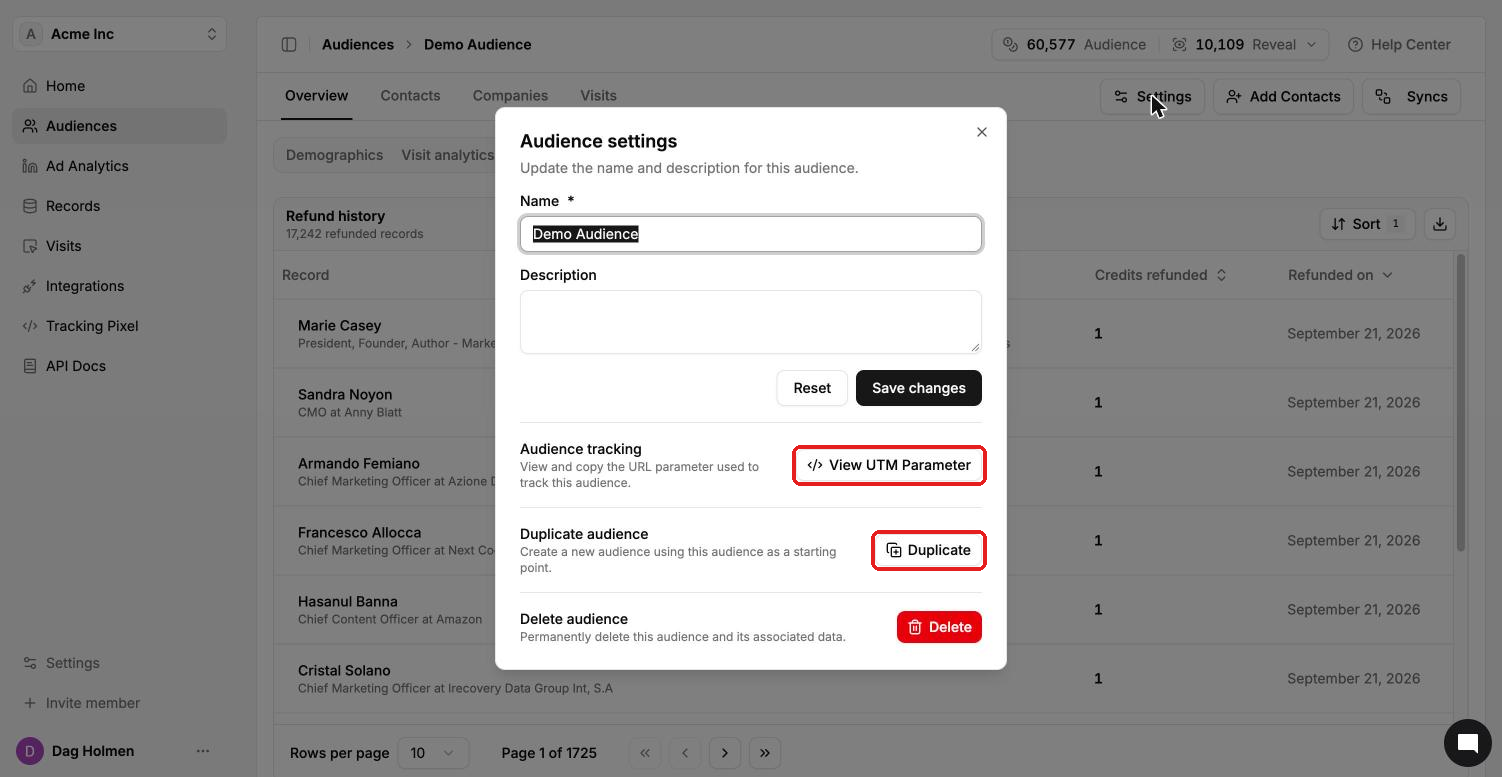
Add it to your landing page URL
Append the parameter to the URL people land on when they click your ad:
Original URL:
https://yourwebsite.com/landing-pageWith the parameter:
https://yourwebsite.com/landing-page?cl_audience=YOUR_AUDIENCE_ID
If the URL already has parameters, join them with & instead of a second ?. For example: https://yourwebsite.com/landing-page?utm_source=linkedin&cl_audience=YOUR_AUDIENCE_ID.
Each ad platform has its own field for URL parameters. See the platform guides below.
What Audience Visits needs to work
The person is in one of your ContactLevel audiences.
They click an ad whose landing page URL contains that audience's
cl_audienceparameter.They land on a page with the tracking pixel, on a whitelisted domain.
Use one audience per campaign so every click carries the right parameter.