
Creating and managing API keys
An API key lets your own tools work with your ContactLevel organization: create audiences, add contacts, pull website visits and check your credit balance. Treat it like a password. Anyone with the key can control your organization's resources.
Create a key
Go to Settings → Developers.
Under API keys, click Create API key.
Give the key a name so you know what uses it.
Copy the key and keep it private.
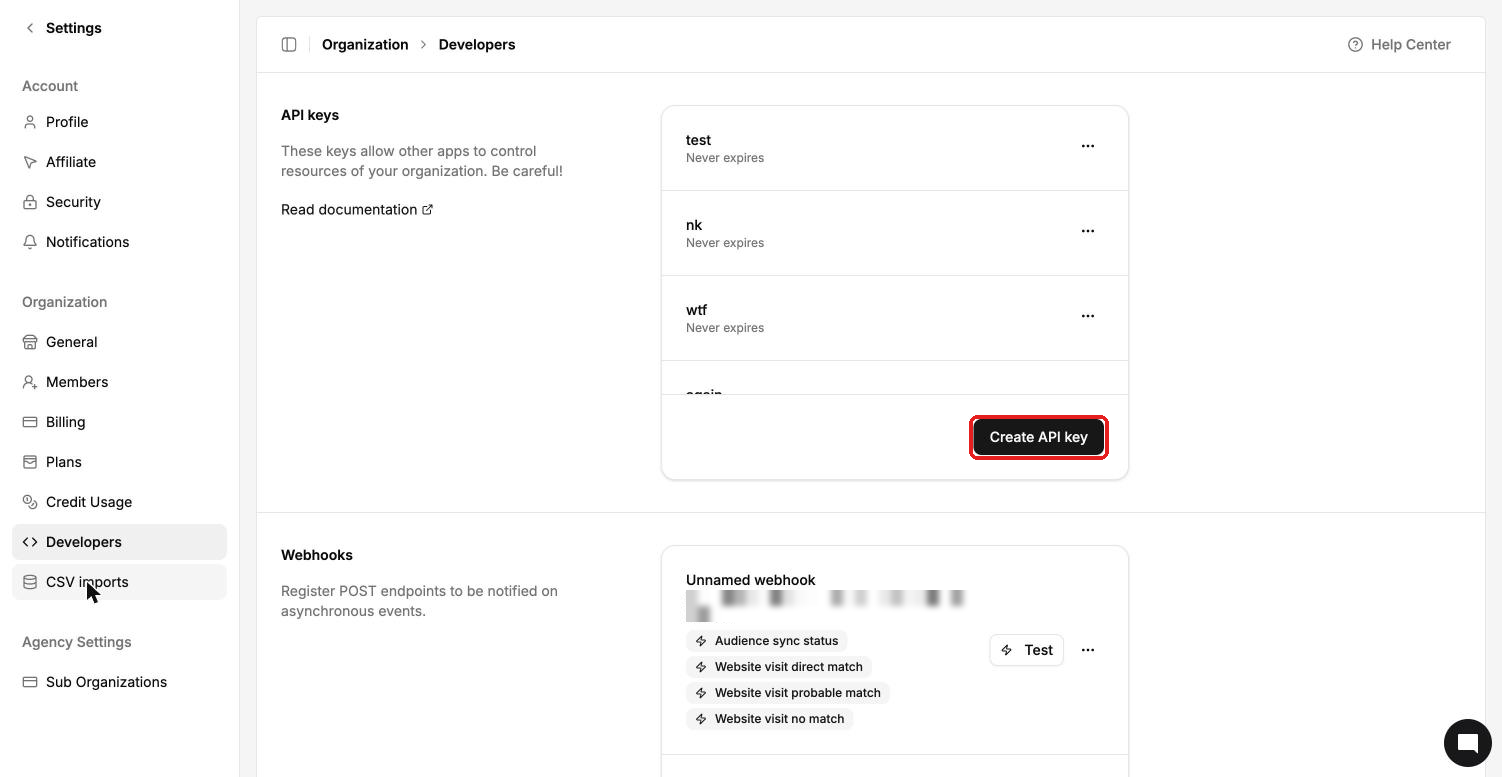
Keys never expire. To manage or remove a key, use the row menu next to it.
Using the API
Full documentation is at docs.contactlevel.com. You can also open it from API Docs in the sidebar or Read documentation on the Developers page.
Base URL:
https://a.contactlevel.comSend your key in the
X-Api-Keyheader.Resources: Audiences, Contacts, Companies, Website Visits and Organization (credit balance).
Pagination:
pageandpage_size(default 25, max 100).
X-Api-Key: YOUR_API_KEY
Errors
| Code | Meaning |
|---|---|
| 401 | Invalid API key |
| 402 | Not enough credits |
| 422 | Validation error in your request |
Credits
Contacts created through the API cost 1 Audience credit each, the same as any other way of adding contacts. They show in Settings → Credit Usage as API contact creation.