
When credits are refunded
ContactLevel refunds Audience credits on its own in two cases. You don't need to ask.
When you get a credit back
No advertising data found
Every contact you add is enriched with advertising data. If we find no advertising data for a contact, the credit goes back to your balance.
The contact already exists in your account
Upload a contact that's already in your account and you're charged 1 credit at upload. When enrichment starts, the system recognizes the existing enriched contact and refunds that credit straight away.
This applies to every way of adding contacts, including Dynamic Syncs.
Where to see refunds
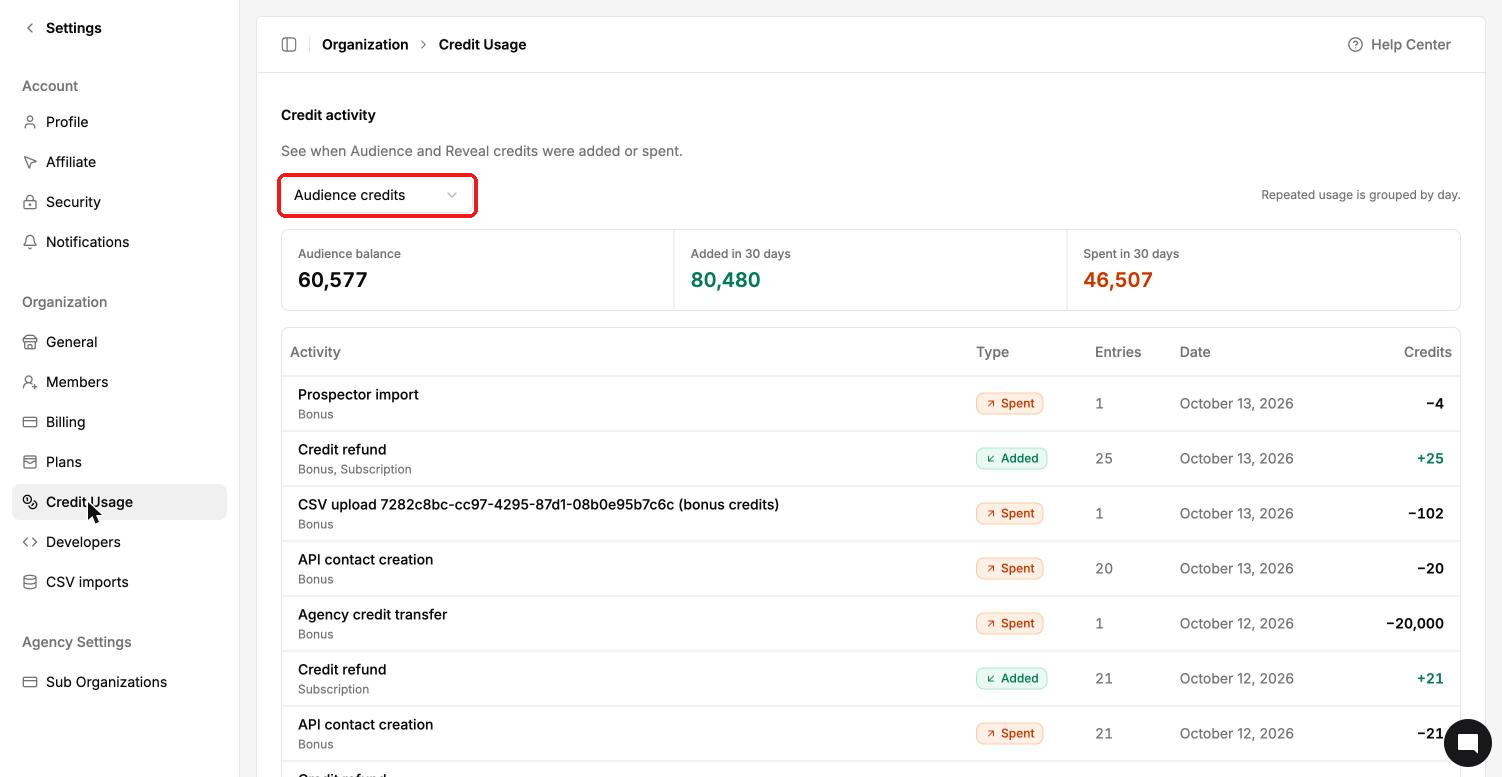
Go to Settings → Credit Usage.
Choose Audience credits from the dropdown.
Look for Credit refund lines in the activity log. They're marked Added and show the number of credits returned.
Inside an audience, the Overview tab has a Refunds sub-tab with the refund history: the record, credits refunded and date. You can export it.
What isn't refunded
Removing contacts from an audience.
Contacts a Dynamic Sync removes because they no longer meet its filters.