A tour of the ContactLevel app
Everything in ContactLevel sits in the left sidebar. Here's where to find each part of the app and what it's for.
The left sidebar
Home: a summary of your LinkedIn ads, audiences and website visits.
Audiences: every audience you've built, with its sync status per ad platform.
Ad Analytics: LinkedIn reporting. Sub-pages are Overview, Companies, Campaigns, Creatives, Pipeline and ICP Settings.
Records: every contact and company in your account. Use Sources to filter by where they came from (Audiences, HubSpot, LinkedIn Ads).
Visits: Audience Visits, Reveal Visits and Analytics.
Integrations: Connections (ad platforms, CRMs, API keys), Notifications and Dynamic Syncs.
Tracking Pixel: your pixel snippet and whitelisted domains.
API Docs: opens docs.contactlevel.com.
Settings: your profile, security, team, billing and credit usage.
Invite member: add a teammate to the organization.
Click your name at the bottom for the user menu: Profile, Billing, Command Menu (⌘K), Theme and Sign out.
The top bar
The credit counter shows your Audience and Reveal credit balances. Click it for details, then View usage or Manage plan. Help Center sits next to it on every page.
For live help, use the chat bubble in the bottom right corner.
The Home page
Home has three tabs:
LinkedIn analytics: impressions, clicks and engagements, ICP alignment and spend, top LinkedIn companies and top campaigns.
Audiences: a summary of your audiences.
Website visits: visits in the last 30 days, unique visitors, matched people, matched companies, a list of website visitors, top channels and referrals, top visited pages and a visit locations map.
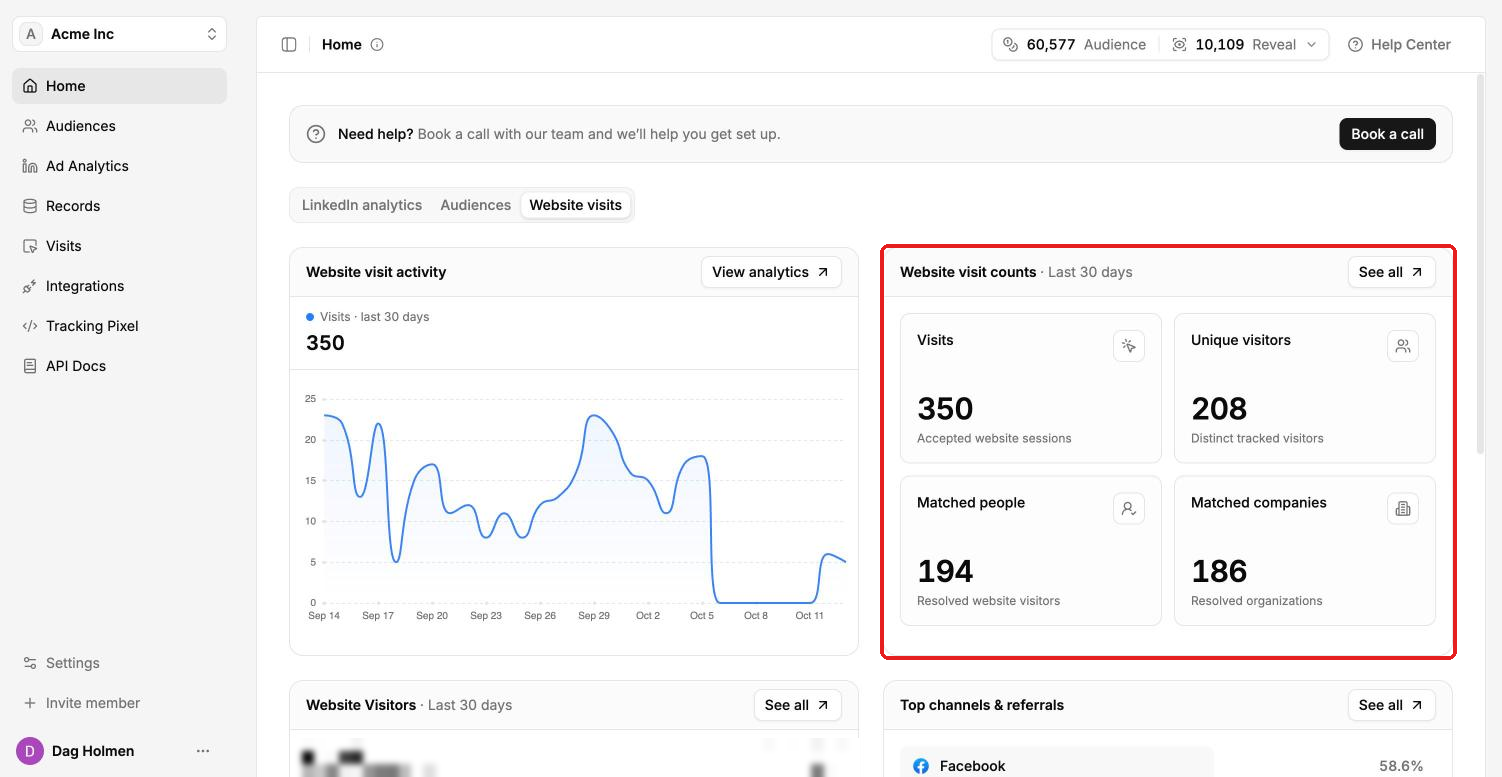
Home also has a Book a call button if you want our team to help you get set up.
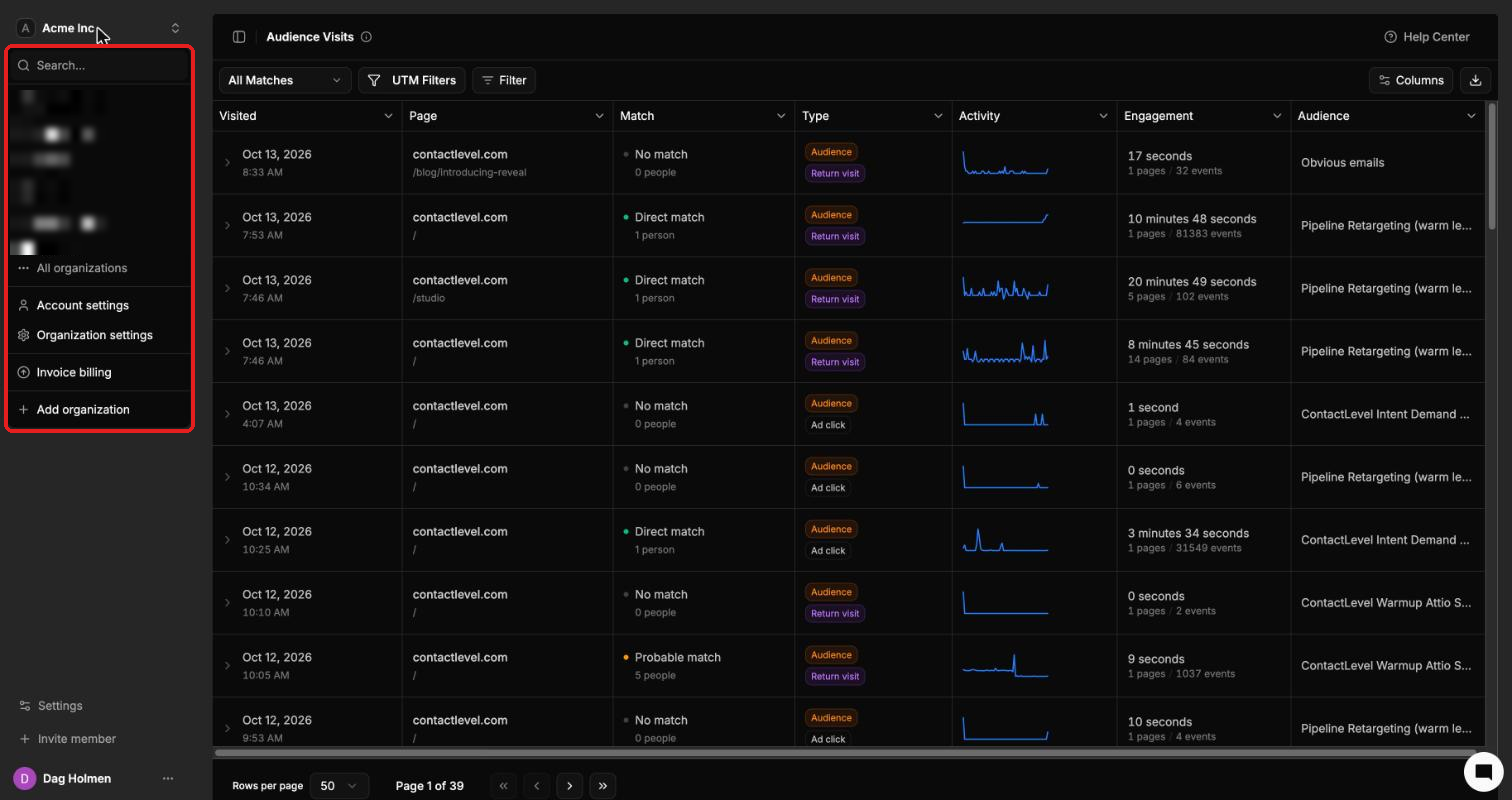
Switching organizations
Click the organization name in the top left to open the org switcher. You can search your organizations, pick one from the list, or open All organizations. The same menu links to Account settings, Organization settings, Invoice billing and Add organization.