
Viewing audience visits and match types
Visits → Audience Visits lists every website visit from people in your audiences, across all audiences. Each audience's Visits tab shows the same data filtered to that one audience.
For large accounts this page can take a while to load.
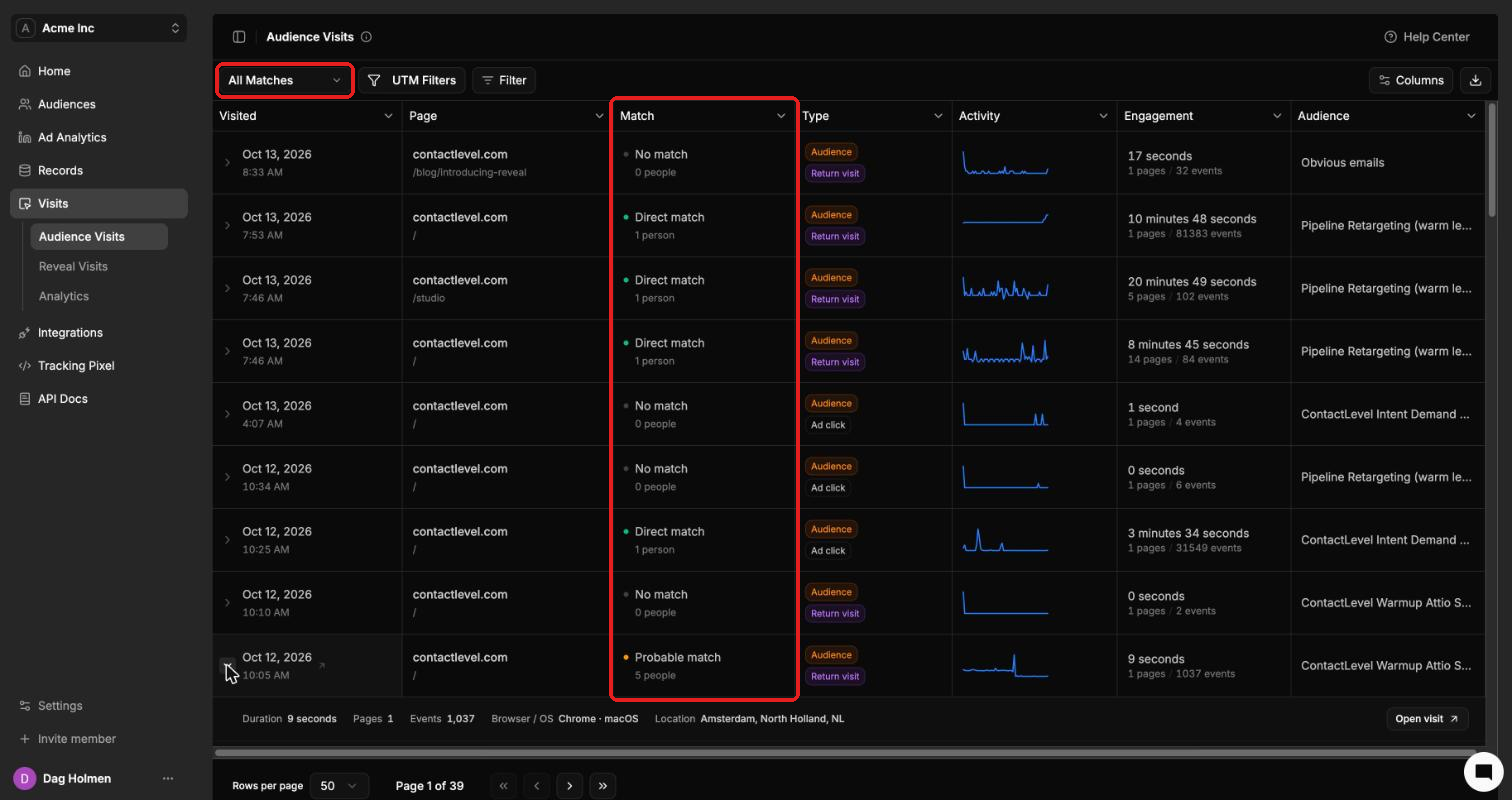
What each column shows
Visited: date and time of the visit.
Page: the domain and page the visitor landed on.
Match: whether we identified the person (see below).
Type: Audience, Return visit or Ad click.
Activity: a small chart of activity during the visit.
Engagement: time on site, pages viewed and events.
Audience: the audience the visit is tied to.
Match types
Direct match (1 person): a deterministic match. We know exactly who visited.
Probable match (N people): we don't have enough data to name one person, so we list a few likely people, usually 2 to 4. The visitor is very likely one of them. This is accurate most of the time, and depends on things like location and industry.
No match (0 people): the visit was recorded, but the person wasn't identified.
Filter and export
Use the All Matches dropdown to show only one match type.
UTM Filters and Filter narrow the list further.
Columns shows or hides columns. The download icon exports the list.
Open a single visit
Click the arrow at the start of a row. The row expands to show duration, pages, events, browser and OS, and location.
Click Open visit for the full detail page.
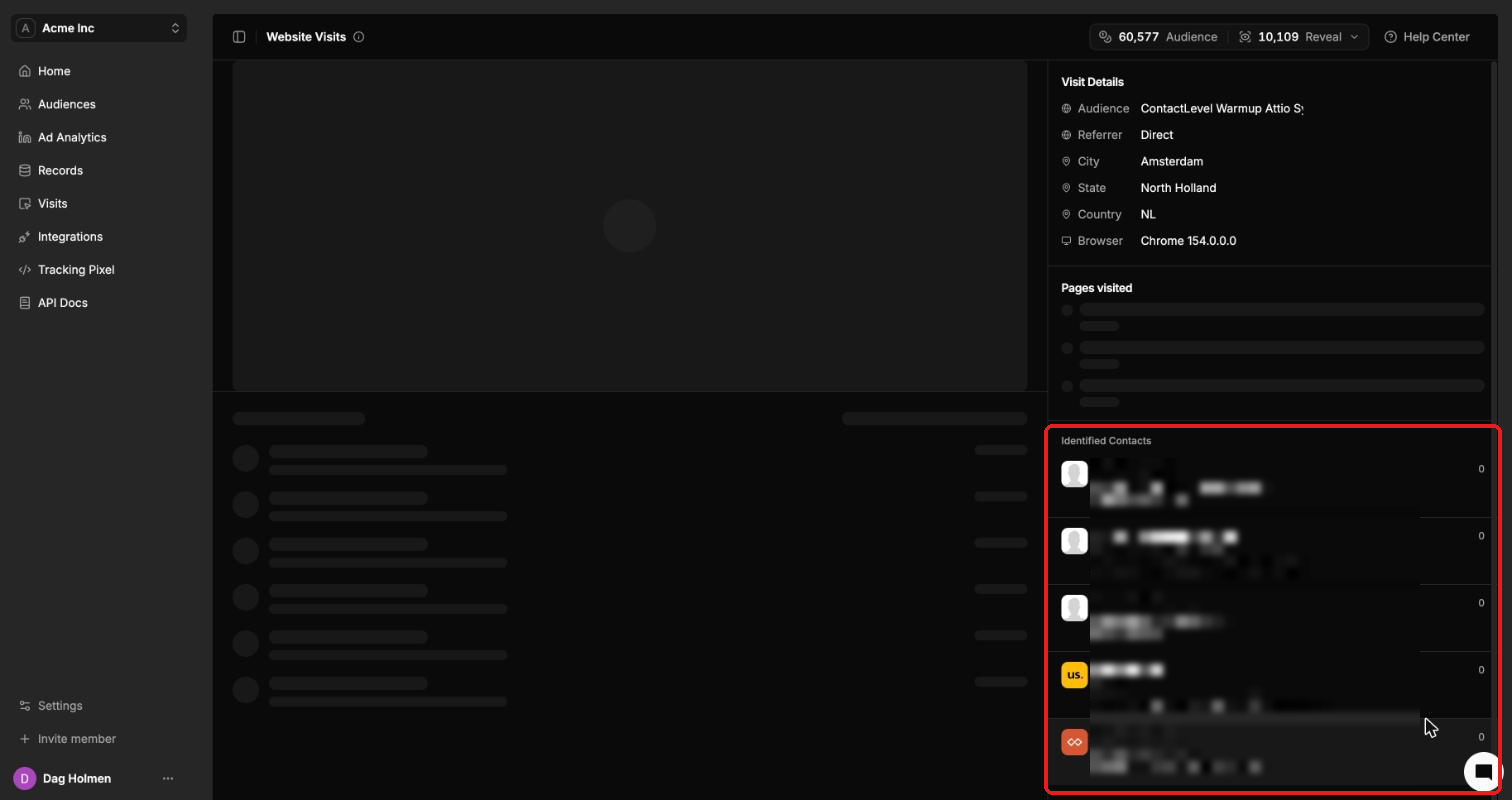
The visit detail page shows the audience, referrer, city, state, country, browser and pages visited. Under Identified Contacts you see the person behind a direct match, or the list of likely people for a probable match.
Visits on contact and company records
A contact's record shows that person's visits. In Records → Companies, the Reach column shows how many contacts from that company clicked and visited, for example 1/1803.