
Audience and Reveal credits: what costs a credit
In this article
In this article group
- Getting started with ContactLevel
- Connecting HubSpot or Salesforce
- How to access past invoices
- Password, sign-in and two-factor authentication
- Creating and managing API keys
- Agencies: managing clients with sub-organizations
- Your affiliate link and earnings
- Connecting ContactLevel to Claude or Codex (MCP)
- When credits are refunded
- Analytics, Audiences and Reveal: how ContactLevel's plans fit together
- The Integrations page: statuses, testing and disconnecting
- Working with multiple organizations
- Slack, email and webhook notifications
- Plans, billing and prepaid accounts
- Inviting teammates and roles
- A tour of the ContactLevel app
- Moving credits between your agency and client accounts
- Sending website visits to HubSpot or Salesforce
ContactLevel has two kinds of credits. Audience credits pay for contacts you add to audiences. Reveal credits pay for people identified on your website.
Audience credits
1 credit = 1 new contact added to an audience. The app shows this as "1 credit = 1 imported contact". Each contact is enriched with advertising data when it's added.
Searching is free. You pay only when contacts land in an audience, from any of these sources:
Prospector
CSV imports
HubSpot or Salesforce CRM search
Apollo.io
Existing Records
Dynamic Syncs
The API and MCP
What doesn't cost Audience credits
Searching in Prospector, your CRM or Apollo.
Syncing an audience to more ad platforms. You pay once per contact, not once per platform.
Re-syncing an audience.
Viewing your data.
Some credits come back on their own. If we find no advertising data for a contact, or you add a contact that already exists in your account, the credit is refunded. Removing contacts from an audience doesn't refund credits.
Unused Audience credits roll over, and purchased credits don't expire.
Reveal credits
1 credit = 1 new person revealed on your website. You aren't charged when the identified visitor is already a contact in one of your audiences.
Reveal only returns person-level matches, so you never pay for a company-only match. Unused Reveal credits roll over.
Checking your balance
Click the credit counter in the top bar to see both balances.
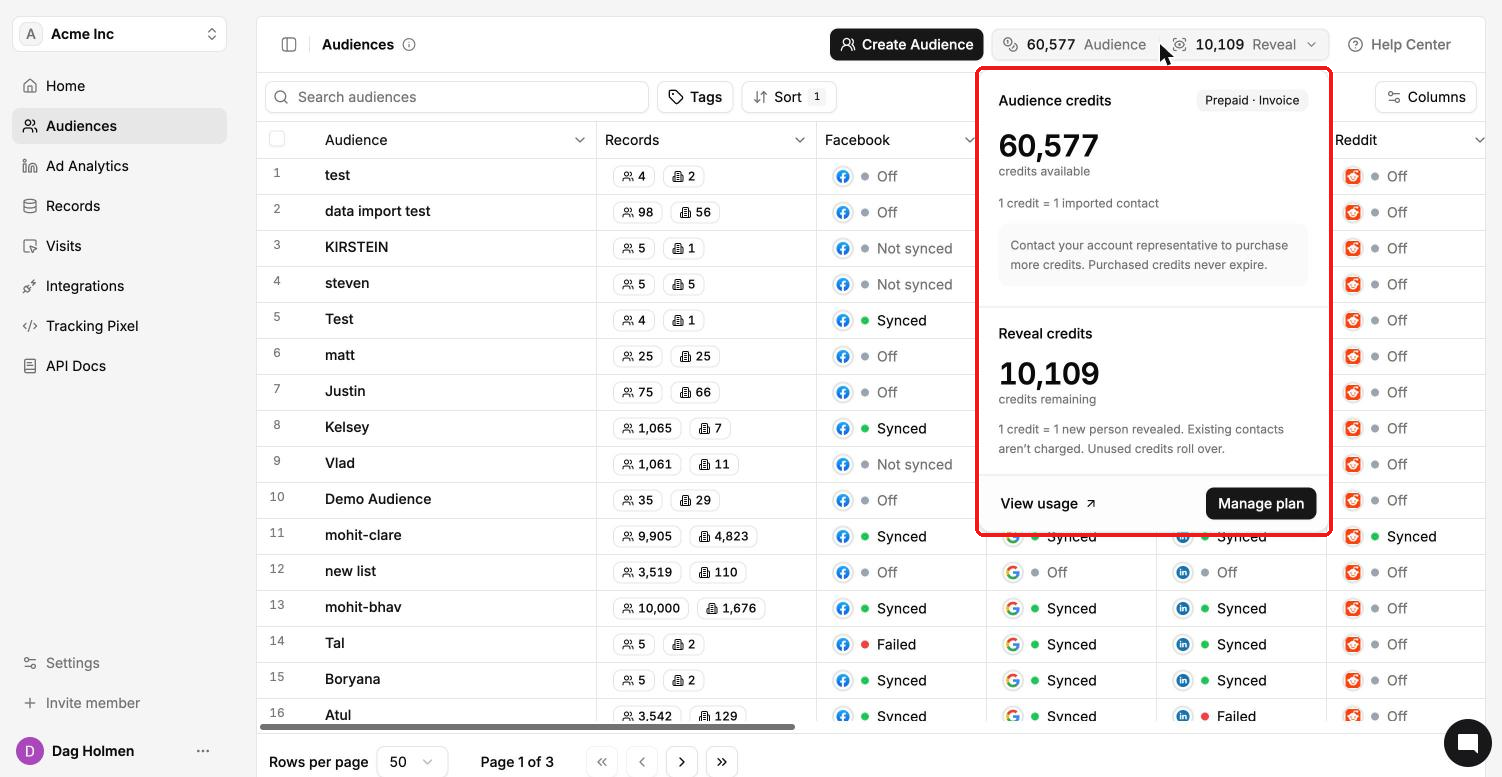
For the full history:
Click View usage in the credit dropdown, or go to Settings → Credit Usage.
Choose Audience credits or Reveal credits from the dropdown.
Check your balance, credits added in the last 30 days and credits spent in the last 30 days.
Scroll the activity log to see each entry, such as Prospector import, CSV upload, API contact creation, Credit refund or Agency credit transfer.
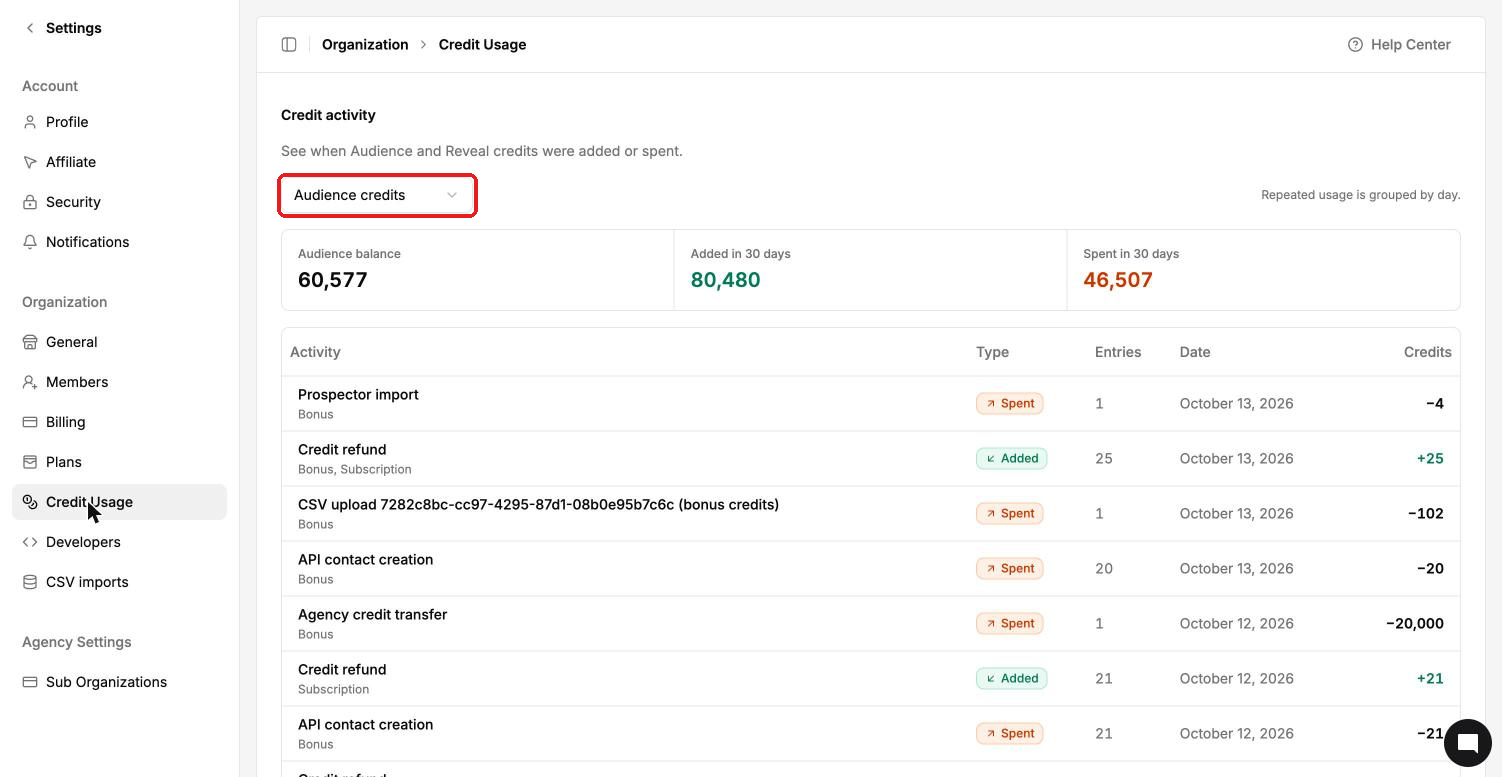
Under each activity you'll see "Bonus" or "Subscription". Bonus credits are credits the ContactLevel team added to your account. All credits are pooled and work the same way.